Laptop Buying Guide for India: How to Pick the Right Processor, RAM and SSD
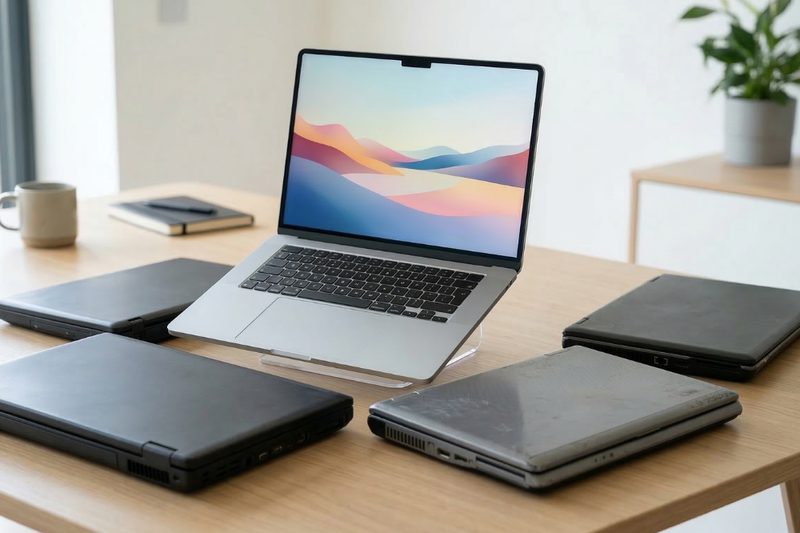
Laptop shopping in India presents a bewildering matrix: Intel versus AMD versus Apple silicon, 8GB versus 16GB RAM, SSD sizes, display types and prices from 30,000 to over two lakh rupees. Buy too little and the laptop frustrates you for years; buy too much and you have wasted money on power you never use. This guide cuts through the jargon, explaining how to pick the right processor, RAM and SSD for your actual needs, plus the other specifications that decide satisfaction.
Processors: Intel, AMD and Apple
The processor is the laptop’s engine, and three families compete. Intel Core processors, i3, i5, i7 and the newer Core Ultra branding, are the familiar default, with the Ultra series adding dedicated AI accelerators. AMD Ryzen, 5 and 7 series, has become the value champion, often matching Intel’s performance at lower prices with excellent efficiency and battery life. Apple’s M-series chips, in MacBooks, lead the industry in performance per watt, delivering remarkable speed with silent, cool operation and all-day battery, at premium prices and within Apple’s ecosystem. For most buyers the practical tiers are: basic tasks need a modern i3, Ryzen 3 or equivalent; students and office workers are well served by i5 or Ryzen 5; creators and engineers should aim for i7, Ryzen 7 or Apple M-series. Avoid previous-generation chips in new laptops unless the discount is steep; efficiency gains compound yearly.
RAM: how much you really need
RAM is the laptop’s workspace; too little and everything stutters as the system swaps to disk. The tiers are clear. 8GB is the minimum for comfortable use today: fine for browsing, Office apps and online classes with moderate multitasking. 16GB is the sweet spot for most buyers in 2026, handling heavy multitasking, large spreadsheets, light content creation and dozens of browser tabs without breaking stride. 32GB is for creators editing 4K video, developers running virtual machines, and data workers with huge datasets. One critical check: is the RAM soldered or upgradeable? Many thin laptops solder RAM permanently, so buy the amount you will need in three years, not today. For a laptop you will keep through college or a career stretch, 16GB is the safe choice.
SSD storage: size, speed and what matters
The hard disk is dead for primary storage; every laptop worth buying uses an SSD, solid-state drive, which makes booting, launching apps and copying files dramatically faster. Capacity guidance: 256GB is workable only for light cloud-centric users; 512GB suits most buyers, holding the OS, apps and a healthy media library; 1TB is for creators, gamers and anyone who keeps large files locally. Speed grades exist, NVMe SSDs are far faster than older SATA ones, but any NVMe drive feels instant for everyday use; do not pay premiums for extreme speeds you will not notice. Check upgradeability: many laptops allow adding a second SSD later, which is the cheapest way to expand. And keep 15 to 20 per cent free; SSDs slow down when nearly full.
Display, battery and build: the daily experience
Specifications beyond the big three shape daily satisfaction.
- Display: 14-inch Full HD IPS is the versatile standard; look for 300 nits brightness or more for well-lit rooms, and consider OLED for creators who value colour.
- Battery: manufacturer claims are optimistic; look for independent reviews measuring real-world life, and prioritise 8-plus hours for students.
- Keyboard and trackpad: you will touch these for thousands of hours; try them in a store if possible.
- Ports: check for the connections you need; dongle life is miserable.
- Weight: under 1.5kg transforms portability for commuters and students.
- Build and service: metal chassis survive bags better, and brands with Indian service networks matter when things break.
A laptop is a daily tool; ergonomics compound.
Matching laptops to Indian buyers
Students on a budget should target Ryzen 5 or i5, 16GB RAM and 512GB SSD around 50,000 to 65,000 rupees, prioritising battery life and weight. Working professionals need reliable build, good keyboards and webcam quality for video calls, with 16GB RAM as standard. Creators should invest in the display and processor first, 32GB RAM if video is serious, and a colour-accurate screen. Gamers need a dedicated GPU, which changes the budget entirely; integrated graphics handle casual games but not AAA titles. And macOS versus Windows remains a workflow choice: Windows offers broader software and better value, MacBooks offer unmatched efficiency and build, choose by the software you must run.
FAQs
Is 8GB RAM enough in 2026? For light use, yes, but it is the floor, not the comfort zone. If the RAM is soldered and you keep laptops for years, 16GB is the wiser buy.
Intel or AMD for a student laptop? Either, from current generations. Compare specific models on battery life and price rather than brand; AMD often wins on value.
Should I wait for festival sales? Diwali and back-to-school sales bring the year’s best laptop prices in India. If your need is not urgent, waiting pays.
The right laptop is not the most powerful one; it is the balanced one whose processor, memory and storage match your work, with a screen and keyboard you will enjoy for years. Buy the sweet spot, not the spec sheet.
Source: Consumer Reports

Khabar 24h Editorial Desk — our explainers are prepared by the Khabar 24h editorial team using AI-assisted research tools, and every piece is reviewed by a human editor before publishing. We do not claim original reporting: our work is turning complex topics into simple, accurate summaries. Spotted an error? Write to contact@khabar24h.com — our corrections policy aims for same-day review.
More from this author →