How to Use DigiLocker: Storing Aadhaar, PAN and Certificates Digitally
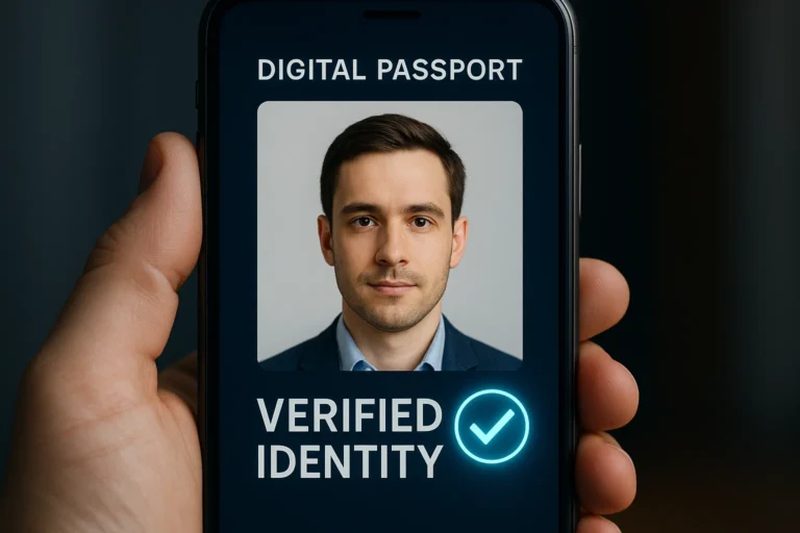
Every Indian has been asked for it at some point: a photocopy of your Aadhaar, your PAN card, your driving licence, your Class 12 marksheet, right now, urgently. The frantic search through drawers and old files is a national ritual, and losing an original document can mean weeks of reissue paperwork. DigiLocker, the Indian government’s free digital document wallet, was built to end exactly this. It gives every citizen secure, legally valid digital copies of official documents, accepted by government offices, banks and increasingly private companies. Yet millions of eligible users have never opened it. Here is how to use DigiLocker and why it deserves a place on your phone.
What is DigiLocker and is it legally valid?
DigiLocker is a cloud-based document storage service run by the Ministry of Electronics and Information Technology under the Digital India programme. Every Indian citizen can open an account linked to their Aadhaar number and gets 1 GB of free storage. The key point most people miss is legal validity: documents issued directly into DigiLocker by government departments, your Aadhaar from UIDAI, your driving licence from the transport department, your CBSE marksheets, carry the same legal weight as the physical originals under the Information Technology Act. A traffic policeman, a passport officer or a bank cannot legally refuse a DigiLocker-issued document. Documents you merely upload yourself are stored safely but do not carry that issued-document status, which is why fetching issued documents is the real power of the platform.
How to set up your DigiLocker account
Setup takes about five minutes. Download the DigiLocker app or visit digilocker.gov.in, and sign up with your mobile number. You will verify it with an OTP, set a PIN, and then link your Aadhaar number, which triggers another OTP to the mobile number registered with Aadhaar. That is it: your account is live. The Aadhaar linking is what unlocks the issued-documents feature, because departments verify your identity against it before releasing your records. If your mobile number is not linked to your Aadhaar, visit an Aadhaar enrolment centre first; without it, DigiLocker works only as plain storage. Once inside, the app feels like a simple file manager with sections for issued documents, uploaded documents and shared documents.
Fetching your Aadhaar, PAN, licence and certificates
Tap “Issued Documents” and search for the issuing department. For Aadhaar, select UIDAI and enter your Aadhaar number; the card appears in seconds. For PAN, choose the Income Tax Department. For a driving licence or vehicle registration, select the Ministry of Road Transport and Highways and enter your licence or registration number with your date of birth. Boards like CBSE and many state boards issue marksheets and passing certificates directly; universities are joining steadily. Each fetched document shows a QR code that anyone can scan to verify its authenticity on the spot. The most useful habit is to fetch everything once, the first time, so the documents are simply there when an emergency strikes at 11 pm.
What else can you store in DigiLocker?
Beyond issued documents, DigiLocker works as a secure personal vault.
- Upload scanned copies of property papers, insurance policies, medical reports and rent agreements into your 1 GB of personal space.
- Share documents securely with a time-limited link instead of emailing sensitive scans around.
- Use the eSign facility to digitally sign documents, which carries legal validity for many purposes.
- Authorise organisations to pull your documents directly with your consent, which is how many banks now do paperless KYC.
- Keep nominee and family documents organised so a spouse or parent can find critical papers in an emergency.
Is DigiLocker safe to use?
Security is the natural worry when your identity documents sit in one app. DigiLocker uses Aadhaar-based authentication, OTP verification and 256-bit encryption, and the issued documents come straight from government databases rather than from uploads that could be forged. Your data is governed by Indian law and stored in Indian data centres. The realistic risks are the same as for any account: a stolen phone with no screen lock, or sharing your OTP with a fraudster. Protect the account the way you protect your bank app, with a strong PIN, a locked phone, and a hard rule against ever sharing OTPs, and it is far safer than carrying originals in a folder that can be lost, burnt or soaked in the monsoon.
FAQs
Can traffic police accept documents in DigiLocker? Yes. The Ministry of Road Transport has directed enforcement agencies to accept DigiLocker and mParivahan documents as valid, and the app works even to show documents during a check.
What if my name is spelled differently across documents? Issued documents come from each department’s own records, so spelling mismatches reflect the source data. Get the source record corrected with the department; DigiLocker will then fetch the corrected version.
Is DigiLocker free? Completely. The account, the issued documents and the 1 GB of storage cost nothing, and there are no premium tiers.
DigiLocker is one of those rare government services that is genuinely better than the paper process it replaces. Set it up once, fetch your key documents, and you will never again dig through a drawer at midnight looking for a marksheet. In a country that runs on documents, a verified digital copy of everything, carried in your pocket, is pure peace of mind.
Compiled by the Khabar 24h Editorial Desk from publicly available sources.

Khabar 24h Editorial Desk — our explainers are prepared by the Khabar 24h editorial team using AI-assisted research tools, and every piece is reviewed by a human editor before publishing. We do not claim original reporting: our work is turning complex topics into simple, accurate summaries. Spotted an error? Write to contact@khabar24h.com — our corrections policy aims for same-day review.
More from this author →