How to Make Your Phone Battery Last Longer: Charging Habits That Work
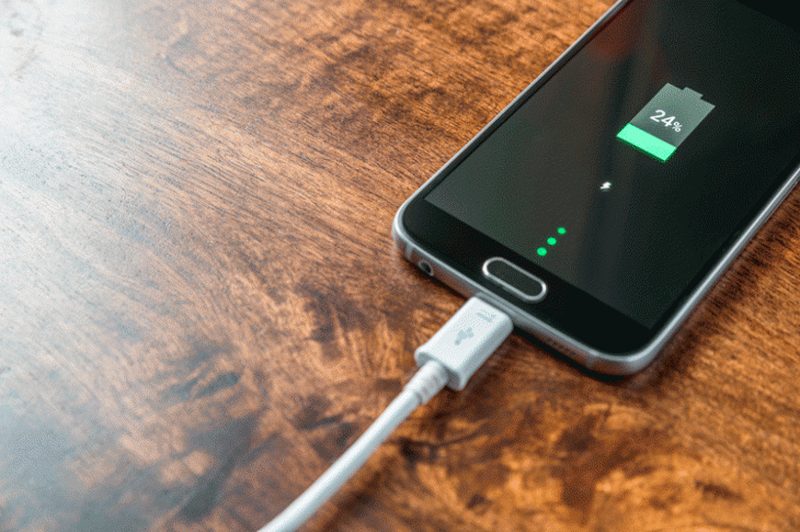
Every phone battery is slowly dying from the day it is made. Lithium-ion cells lose capacity with each charge cycle, which is why a two-year-old phone that once lasted a full day now begs for a charger by evening. But the rate of decline is not fixed: how you charge, how hot the phone gets and how deeply you discharge it all shape how long the battery stays healthy. This guide explains the charging habits that genuinely extend battery life, and the myths you can safely ignore.
Why batteries degrade
A phone battery stores energy by shuttling lithium ions between two electrodes. Each charge and discharge cycle causes tiny, irreversible chemical changes: the electrodes degrade, unwanted films build up, and the battery’s maximum capacity shrinks. Two factors accelerate this ageing more than any others. Heat is the great enemy; high temperatures speed up every harmful chemical reaction inside the cell. And voltage stress matters: keeping a battery pinned at 100 per cent charge, or draining it to zero regularly, strains the chemistry more than hovering in the middle. A battery cycled between 20 and 80 per cent can last roughly twice as many cycles as one constantly swung between 0 and 100. Ageing is inevitable, but its pace is substantially within your control.
Charging habits that actually work
These practices have real chemistry behind them.
- Keep the charge between 20 and 80 per cent when convenient. Many phones now offer an 80 per cent charge limit in settings; turn it on.
- Avoid overnight charging to 100 per cent every night. If you must charge overnight, use adaptive or optimised charging, which holds the battery at 80 per cent and tops up before your alarm.
- Keep the phone cool while charging. Remove thick cases during fast charging and never charge in direct sunlight or on a hot car dashboard.
- Do not fear partial charges. Lithium-ion batteries have no memory effect; topping up from 50 to 70 per cent is gentler than a full cycle.
- Use a reasonable charger. Ultra-fast charging generates more heat, so save the 100W brick for emergencies and use slower charging overnight.
- Update your software. Manufacturers continuously improve battery management and thermal control through updates.
You do not need to obsess; following even half of these noticeably slows degradation.
Reduce drain during the day
Extending battery health and extending daily battery life are different goals, and both matter. The display is the biggest power draw: lower brightness and shorter screen timeout pay off immediately. 5G consumes more power than 4G; if you are in a weak 5G area, forcing 4G can save significant battery. Background app refresh, location services and push notifications keep radios and processors busy; audit them in settings. Dark mode on AMOLED screens saves real power because black pixels are simply off. And high refresh rates cost energy; if you are chasing endurance rather than smoothness, 60Hz mode helps. None of these require sacrifice, just a few minutes in settings.
Myths you can ignore
Battery folklore is full of outdated advice. You do not need to fully discharge a new phone before first use; that was for nickel-based batteries, not lithium-ion. Closing background apps usually wastes more energy than it saves, because reopening apps costs more than the system’s own efficient freezing. Third-party battery saver apps are largely snake oil on modern Android and iOS, which manage power better than any app can. Wireless charging is not inherently harmful, though cheap pads that overheat the phone are. And letting the phone die to zero occasionally does not recalibrate anything; it just stresses the battery.
When to replace the battery
Even perfect habits cannot stop ageing forever. Consider a battery replacement, usually far cheaper than a new phone, when maximum capacity drops below 80 per cent, the phone shuts down unexpectedly at 20 or 30 per cent, or it no longer survives your normal day. Both Android and iPhone show battery health in settings. In India, authorised service centres and reputable third-party shops offer replacements; insist on genuine or high-quality cells, because a cheap counterfeit battery is a safety risk. A fresh battery can give a three-year-old phone a second life, which is both economical and environmentally sensible.
FAQs
Is it bad to use my phone while charging? Light use is fine. Heavy gaming while fast-charging generates damaging heat; if the phone gets hot, let it charge undisturbed.
Should I charge to 100 per cent before a long day out? Yes. Battery-longevity habits are about the everyday routine; charging fully when you genuinely need the range is exactly what the capacity is for.
Does fast charging ruin batteries? It adds heat stress, which accelerates ageing modestly. Occasional fast charging is harmless; making it your only charging method shortens lifespan somewhat.
Phone batteries age like everything else, but they age on your terms more than you might think. Keep it cool, keep it mid-range, and let the software help; your battery will repay the kindness with years of extra service.
Source: Battery University

Khabar 24h Editorial Desk — our explainers are prepared by the Khabar 24h editorial team using AI-assisted research tools, and every piece is reviewed by a human editor before publishing. We do not claim original reporting: our work is turning complex topics into simple, accurate summaries. Spotted an error? Write to contact@khabar24h.com — our corrections policy aims for same-day review.
More from this author →