Is Your Phone Hacked? Warning Signs and What to Do Next
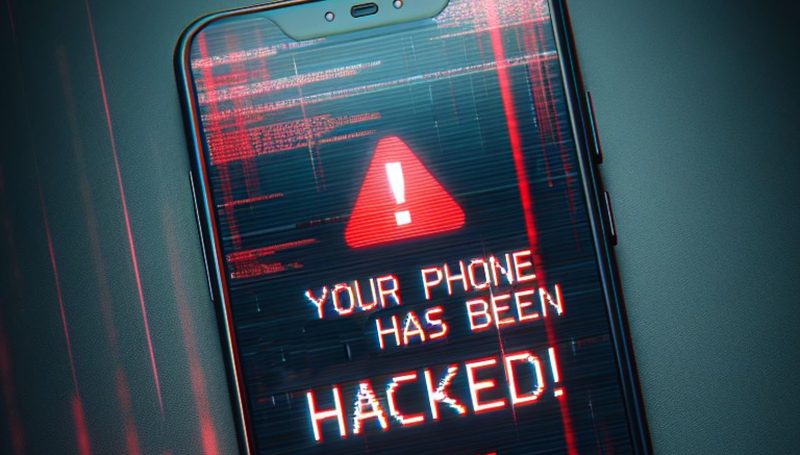
Phones hold our money, our messages, our photos and our identities, which makes them prime targets. Modern phone hacking rarely announces itself with flashing warnings; it hides in the background, siphoning data, intercepting OTPs and draining accounts while the phone seems to work normally. Knowing the warning signs, and exactly what to do when you spot them, is essential self-defence. This guide covers how phones get compromised, the signs yours might be, and the step-by-step recovery.
How phones get hacked
Attackers have a well-stocked playbook. Malicious apps, often disguised as loan apps, games or utilities outside official stores, request excessive permissions and harvest data. Phishing links install spyware or trick you into revealing credentials. Public Wi-Fi and fake charging stations enable interception. SIM-swap fraud hijacks your number to intercept OTPs without touching the phone at all. And zero-click exploits, rare and expensive, can compromise fully updated phones via a single message; these target high-value individuals rather than ordinary users. For most people, the realistic threats are malicious apps, phishing and SIM-swap, all of which have clear defences.
Warning signs your phone is compromised
No single symptom proves hacking, but clusters deserve investigation.
- Battery draining unusually fast or the phone running hot while idle, suggesting hidden background activity.
- Spikes in mobile data usage with no change in your habits.
- Apps you did not install, or familiar apps behaving strangely, crashing or requesting new permissions.
- Pop-ups, redirects or changed browser homepages indicating adware or hijacking.
- Messages or calls you did not make, or contacts receiving spam from your number.
- OTP messages arriving for transactions you did not initiate, a red alert for financial fraud.
- Being logged out of accounts unexpectedly, or password-reset emails you did not request.
- The phone becoming sluggish, or settings changed that you did not change.
Two or three of these together warrant immediate action.
What to do immediately
If you suspect compromise, act in this order. First, disconnect: turn on airplane mode to cut the attacker’s access. Second, from a different clean device, change passwords for email, banking and social media, and check for unauthorised transactions. Third, call your bank if any financial app is involved; speed matters for freezing fraud. Fourth, back up only essential personal data like photos, not apps or settings that might carry malware. Fifth, remove suspicious apps and run a scan with a reputable mobile security app. If symptoms persist, the reliable fix is a full factory reset from the system settings, which wipes everything including most malware, followed by careful reinstallation of apps only from official stores.
Securing accounts after the incident
Cleaning the phone is half the job; the other half is assuming credentials leaked. Change every important password, prioritising email first, using unique passwords from a password manager. Enable two-factor authentication everywhere, preferably app-based. Review active sessions in Google, Apple, WhatsApp and banking apps, signing out unknown devices. Check bank and UPI statements for the past weeks for transactions you do not recognise and dispute them promptly. If SIM-swap is suspected, contact your operator immediately to secure the number. And file a report on the cybercrime portal or 1930 helpline; official reports help investigations and are often required by banks for fraud claims.
Preventing the next attack
A few habits make repeat compromise unlikely. Install apps only from the Play Store or App Store, and scrutinise permissions; a torch app does not need your contacts. Keep the operating system and apps updated; patches close the holes attackers use. Do not sideload APKs from random websites, however tempting the free premium app. Avoid public USB charging stations or carry a charge-only cable. Be sceptical of links in SMS and WhatsApp, the delivery vector for most mobile malware in India. And keep regular backups, so a factory reset is an inconvenience rather than a catastrophe.
FAQs
Can a factory reset remove all malware? Almost all consumer malware, yes. Extremely sophisticated state-level implants can survive, but those do not target ordinary users.
Does my phone need an antivirus app? iPhones generally do not; Android users benefit from Play Protect plus cautious habits, with third-party security apps optional rather than essential.
How do I know if my number was SIM-swapped? Sudden loss of network signal while the phone is fine, plus OTP or account alerts, are classic signs. Contact your operator immediately.
A hacked phone feels violating, but it is recoverable: disconnect, secure accounts from a clean device, reset, and rebuild carefully. The experience, unpleasant as it is, usually teaches the habits that prevent the next one.
Compiled by the Khabar 24h Editorial Desk from publicly available sources.

Khabar 24h Editorial Desk — our explainers are prepared by the Khabar 24h editorial team using AI-assisted research tools, and every piece is reviewed by a human editor before publishing. We do not claim original reporting: our work is turning complex topics into simple, accurate summaries. Spotted an error? Write to contact@khabar24h.com — our corrections policy aims for same-day review.
More from this author →